Scanner Support
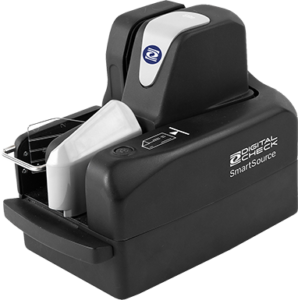
SmartSource Elite series scanners – LED blink codes
The following tables will help you identify the basic LED status codes given by your SmartSource Elite series scanner. This is not a guide to

The following tables will help you identify the basic LED status codes given by your SmartSource Elite series scanner. This is not a guide to
Today Digital Check announced native support for certain scanners in the macOS 13 “Ventura” operating system (read the full announcement here). Below are answers to
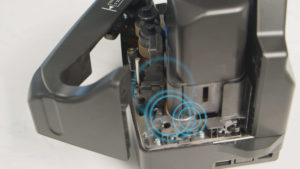
A scanner is equipped with three to four track sensors that detect the position of the paper as it moves through the track. The camera
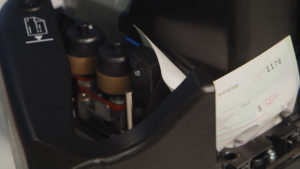
Buildup on the feed rollers can be a source of unexplained jams and misfeeds. Dirty feed rollers, debris in the paper path, or obscured track
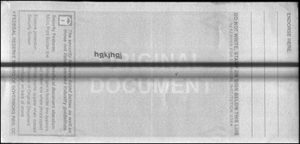
Dust or Ink on the Camera Glass If your scanned images look like the one below, it’s likely to make you think your scanner has
The TS500 scanner requires periodic cleaning and maintenance to ensure optimal performance. Part of the maintenance process will include replacement of the Ink Absorber Pad.
Explanation: This error code means that the scanning application cannot find the scanner. This message could be generated by either a bank’s deposit program, or
Explanation: The API for TellerScan and CheXpress scanners contains a configuration file that is named BUICSCAN.INI by default (this may vary depending on your bank
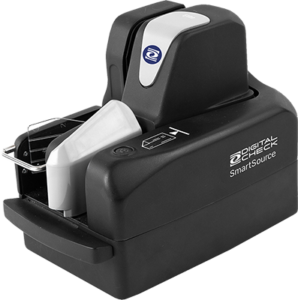
If you’ve updated your PC to Windows 11, be aware that all Digital Check and SmartSource drivers for Windows 10 have now been certified with
SmartSource Elite series scanners sold since April 2020 have a built-in automated cleaning function that makes maintenance simple. Refer to the video demo on the
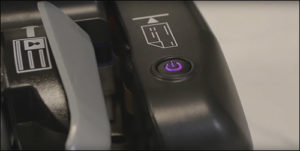
If you’ve reached this page, it’s probably because your check scanner’s power button has turned purple instead of its normal blue. When this happens, it’s
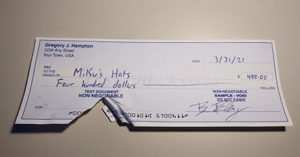
Today’s question comes from a customer in New York, who asks: “What should I do if someone gives me a check that’s torn at the